A free, capable converter
HandBrake is a multimedia app created by dedicated volunteers. It’s a video converter that helps users transform videos from nearly any format into modern, widely supported codecs. The software is reliable, simple to use, and trusted by many people who need an efficient way to manage and convert media files quickly every day.

Unlock your creativity with Adobe Stock
Get 10 images or 1 video with a free trial
One of the best things about HandBrake is that it is completely free to use. It also works across multiple platforms, including Windows, Mac, and Linux. This flexibility makes it a great choice for students, creators, and everyday users who need dependable video conversion tools worldwide.
Quality performance
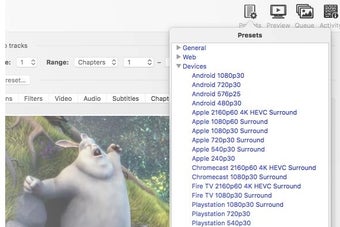
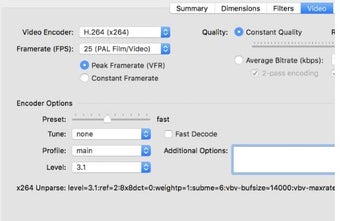
HandBrake is a strong open-source option for anyone who wants to rip DVDs without paying for expensive software. Even though it is completely free, it delivers impressive conversion quality and dependable performance. The program offers advanced tools such as two-pass encoding, dual soundtrack support, and a bitrate calculator that adjusts video quality based on your preferred final file size for better storage management and smoother playback on many devices.
Another useful feature is the ability to trim black bars from movies, helping maximize screen space while reducing wasted file size. It also includes chapter selection, basic subtitle support burned directly into the picture, and grayscale encoding options. These tools make it practical for users who want more control over how their videos look and play after conversion on computers or media players everywhere.
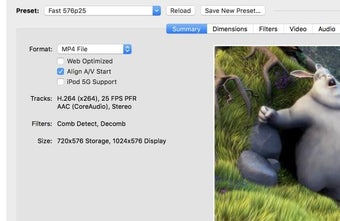
The simple interface makes converting DVDs and similar sources easy, allowing users to quickly create MPEG-4 files for storage. The program supports VIDEO_TS folders, VOB files, TS files, DVD images, and physical discs. Some protected DVDs require third-party tools for decryption. Although it remains an excellent free solution for ripping and converting DVDs, one con is that occasional crashes or setup issues might affect some users.
A robust encoder
Overall, HandBrake remains one of the best free tools for video conversion and DVD ripping. Its open-source design, wide format support, and advanced features make it useful for beginners and experienced users alike. Cross-platform compatibility adds even more value. While occasional crashes or setup issues may happen, it still offers excellent performance without costing anything, making it a smart choice for everyday media tasks and projects.






.png)